Join a team
If a teammate sent you a StintIQ invite link, this page walks you through claiming it. Invite links look like https://stintiq.app/teams/join/abc123....
Open the invite link
Click the link your team admin sent. If you're not signed in, you'll be sent to /login first — sign in with Discord, then come back to the invite (the page routes you automatically).
What you'll see
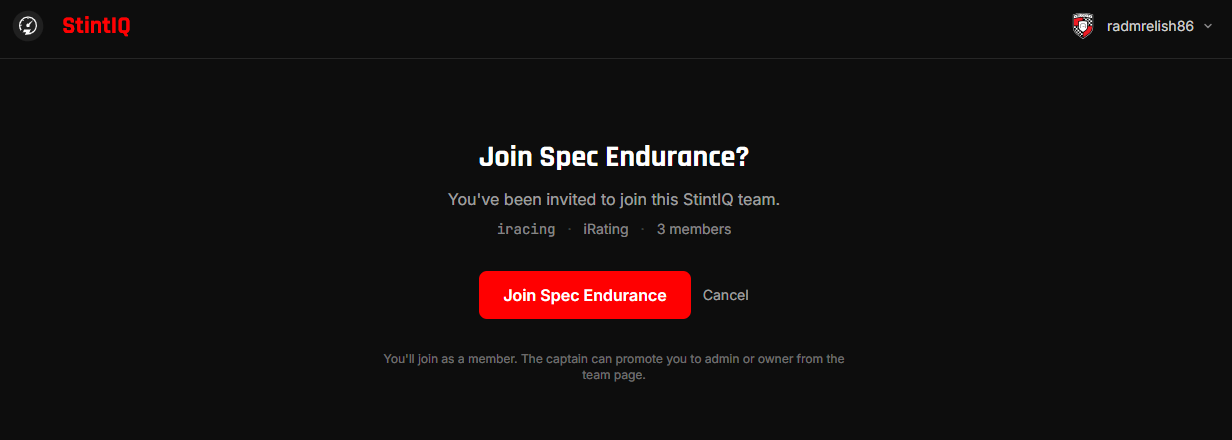
The invite preview shows:
- Team name — the team you're about to join.
- Sim + rating system — which sim the team races and how skill ratings are tracked.
- Member count — how many drivers are already on the team.
Click Join team. You'll land on the team's detail page with the Driver badge next to your name.
Set your color and skill rating
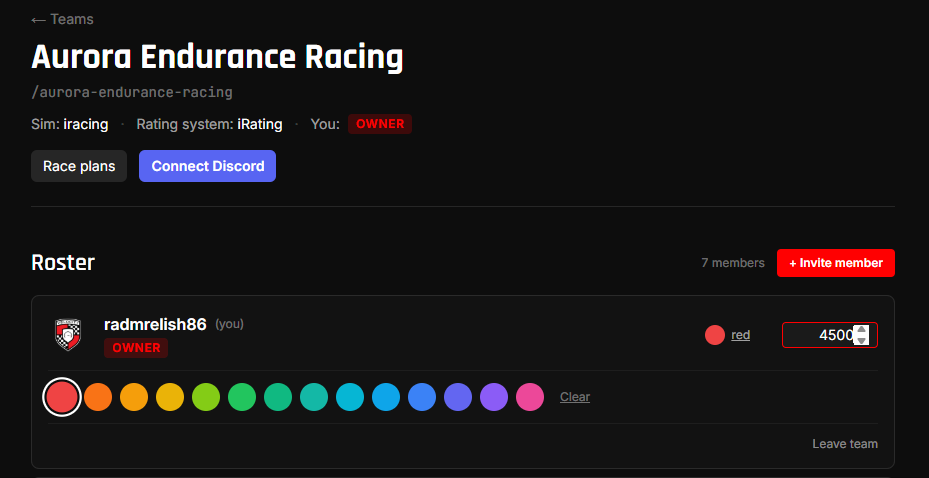
On the team detail page, pick your driver color and (optionally) enter your skill rating.
- Color tags you on the team's stint builder and on shared race plans, so pick something distinct from your teammates.
- Skill rating helps your team admin see at a glance who's the more experienced wheel on the team. Units are whatever rating system the team uses (iRating, SA, RR, etc).
What if the link doesn't work?
- "This invite link is no longer valid" — your team admin rotated the invite. Ask them for a fresh link.
- "You're already on this team" — you accepted this invite already. Click the link in the message to go straight to the team page.
- Page won't load — make sure you're signed in to StintIQ first.
Next steps
- Sign up for availability — Tell your team admin which time windows you can drive.
- Race day on your phone — What to expect on race day.
Have questions? Join our Discord →