
Race results and DNFs
When the race ends, record how it went. Each race gets one shared result, and anyone on the team can enter or edit it, not just the captain. It shows on the race-day view, on the plan detail page, and as a badge on your team's race list, so you build up a history of every race the team has run.
If you retire mid-race: log a DNF
A DNF at hour 3 of a 12-hour race shouldn't mean drivers getting stint reminders all night. While the race is running, the race-day view (/race/{plan_id}) shows a small Retired? Log a DNF link under the Report Incident button.
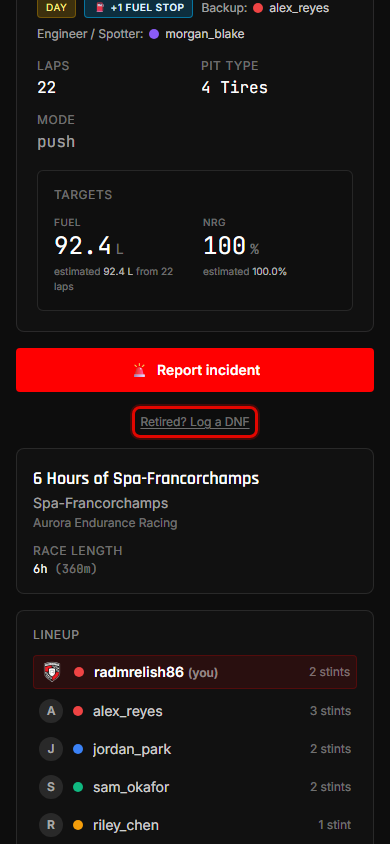
Tap it, optionally say why ("Gearbox failure"), and confirm with Log DNF.
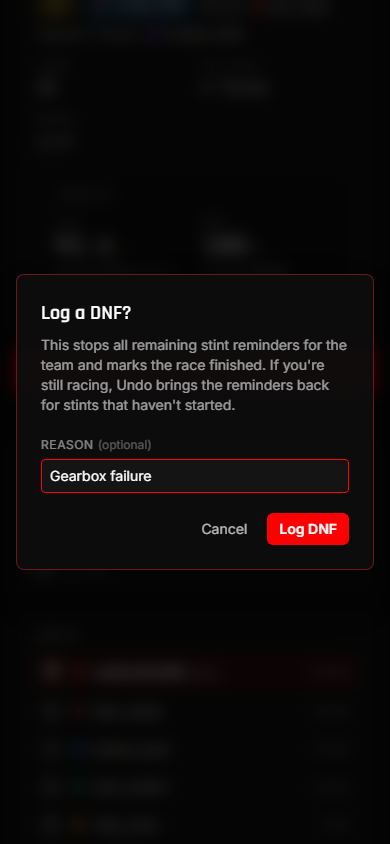
What happens straight away, for the whole team:
- Every remaining stint reminder is cancelled. No more Discord DMs for this race.
- The race reads Finished everywhere: the race-day view, the plan detail page, the dashboard, and the bot's
/next. - The race-day view swaps the stint card for the race result card.
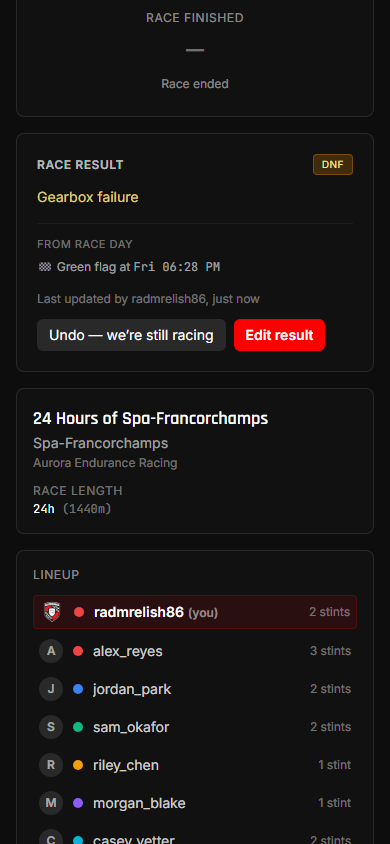
Logged it by mistake? Undo
Pressed it too early, or the car made it back to the pits after all? Tap Undo — we're still racing on the result card. The race reopens and reminders resume for every stint that hasn't started yet. Reminders that would have gone out while the race was marked as finished aren't sent late.
Undo only clears the DNF. Anything else already entered on the result (positions, notes) stays. Undo is offered until the race's planned finish time.
Enter the full result
After the flag, tap Enter result (or Edit result) on the result card. Everything is optional, so fill in what you know:
- Outcome: Finished, DNF, or DSQ. For a DNF there's a short reason field.
- Class and Overall position, each with an optional field size (P3 of 14).
- Laps completed and where you qualified.
- Notes: what went well, what to change next time.
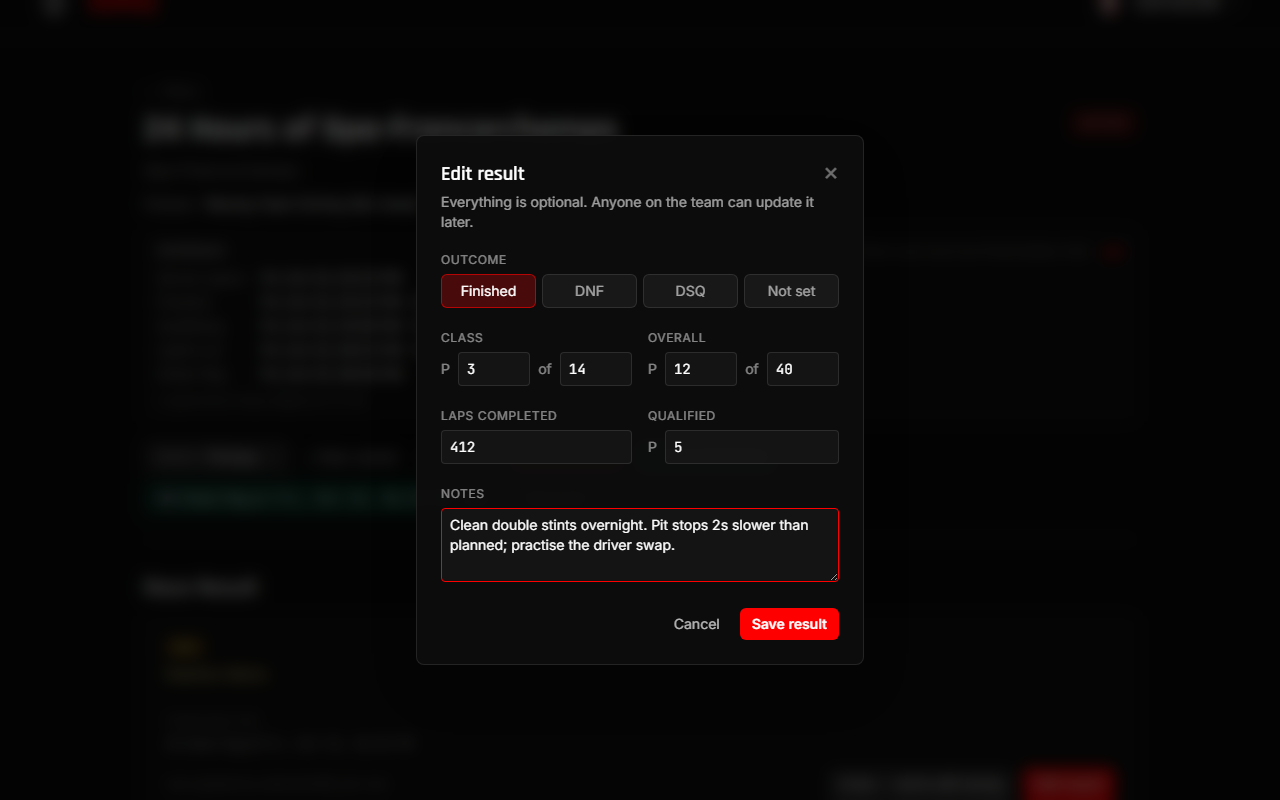
The card then shows the result, plus a From race day section StintIQ fills in for you:
- when the green flag dropped
- any incidents reported with Report Incident (which stint, how much time was lost)
- any stint a driver said they couldn't make, and whether the backup covered it
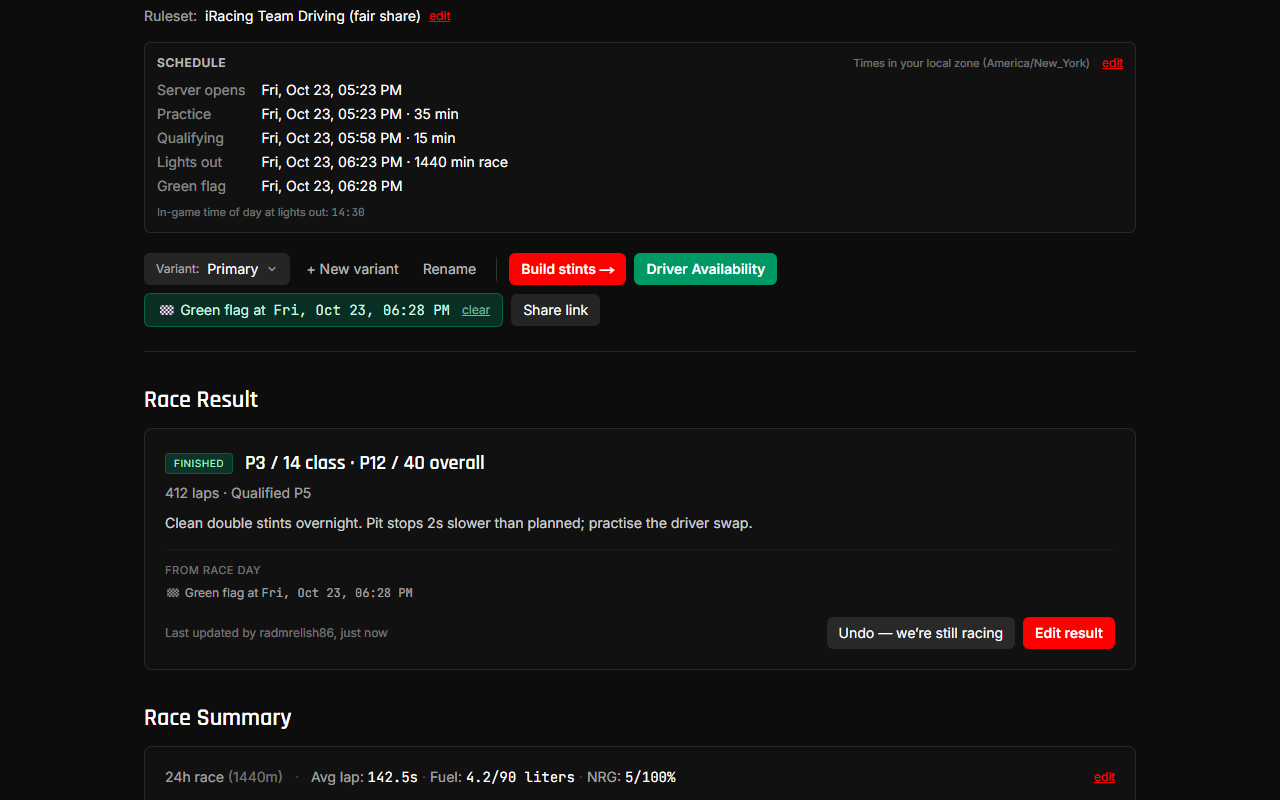
The same card appears on the plan detail page, above Race Summary, once the race is over. That's its permanent home. The bottom of the card shows who last updated it and when. If two people edit, the last save wins.
Your team's race history
Your team's Race plans page splits races into Upcoming and Past. A race moves to Past when it ends (straight away if you log a DNF). Past races carry their result as a badge: P3 class · P12 overall, or DNF / DSQ.
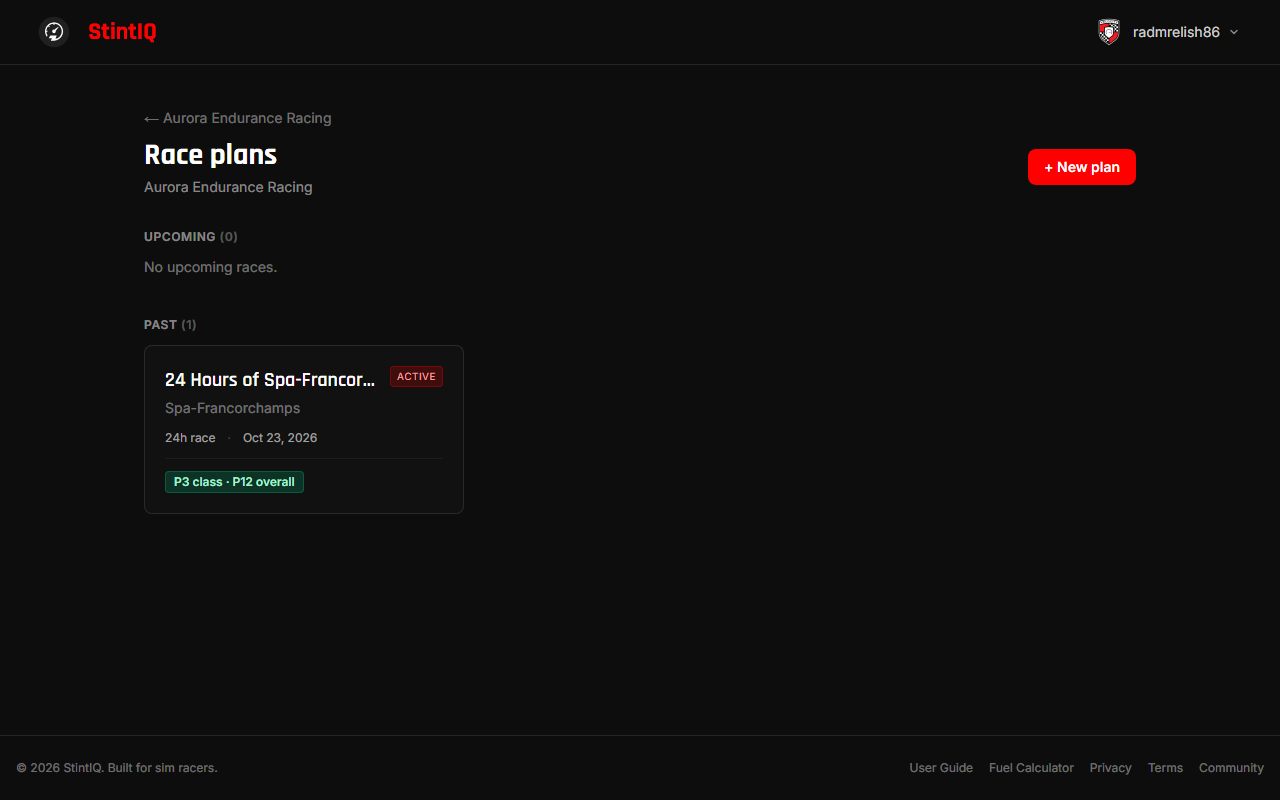
A past race with no result yet shows + Add result. Click it to jump straight to the result on that plan.
What the share link shows
The public share link shows the outcome, positions, laps, and qualifying position. Your notes and the DNF reason are never shown. They stay inside the team.
Next steps
- Run race day: the race-day checklist this page follows on from.
- Alternate plans: recovering from an incident without retiring.
Have questions? Join our Discord →