Stay alert (Discord DMs)
StintIQ's bot can DM you on Discord when your stint is coming up. You get a heads-up at 30, 15, and 5 minutes before you're in the seat. Link your Discord account once and it works for every race you're in.
Open Settings → Discord
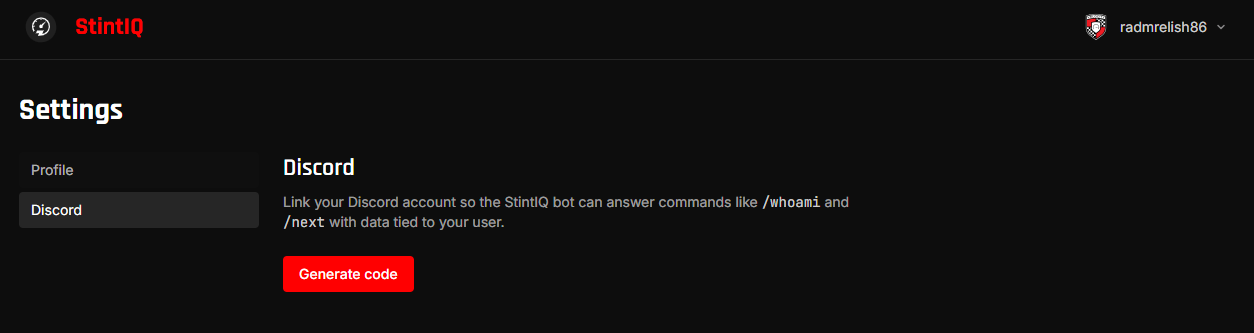
Sign in to StintIQ, then go to Settings → Discord. You'll see one of two states:
- Not linked yet — A "Generate code" button.
- Already linked — A green ✅ Discord linked panel with the linked date.
Generate a link code
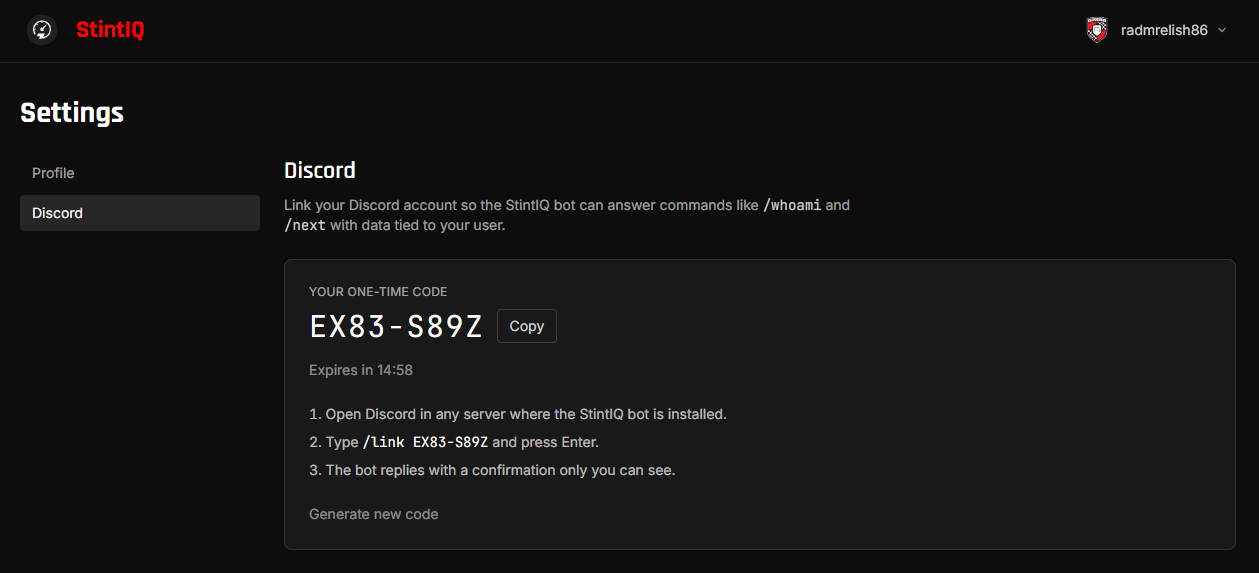
Click Generate code. You'll see a short alphanumeric code (8 characters, formatted like ABCD-EFGH) with a countdown — the code expires in 15 minutes.
Use /link
Open Discord. The StintIQ bot lives in your team's connected Discord server. Run the command either as a DM to the bot, or in any channel where the bot has access (the reply is private — only you see it):
/link ABCD-EFGH
(Use the code from the previous step.)
The bot replies with ✅ Linked! and StintIQ updates immediately.

What happens now
Once linked, you get four kinds of DMs:
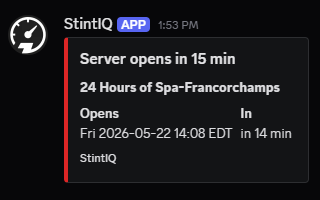
- Server-open reminders at T-30, T-15, T-5 minutes before the captain's published Event start (server opens) time. You get these if you have any stint assignment on the plan — driver, backup, or engineer, across any session type. Generic wording: "Server opens in N min."
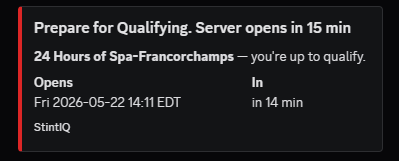
- Qualifying-prep reminders at T-15 and T-5 if you're the driver assigned to qualify (the primary driver of a Qualifying-typed stint). These REPLACE the generic server-open DM at those two thresholds for you — instead the wording tells you you're up to qualify. T-30 stays generic.
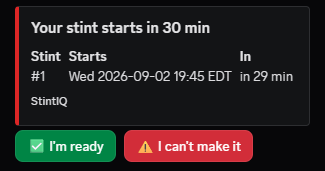
- Stint reminders at T-30, T-15, T-5 before each of your Race stints after the first one. The T-30 and T-15 ones carry ✅ / ⚠️ buttons — see Confirm your stint below. The stint-1 driver doesn't get duplicates — the server-open DM already covers them at the same times. DMs include your stint number, the lap range, fuel + NRG targets, and the race name.
- Engineer reminders if you're assigned as the engineer/spotter on someone else's stint — same T-30/15/5 cadence as the driver's, labeled to make clear you're on comms, not driving.
Confirm your stint
Your stint reminders come with two buttons:
- ✅ I'm ready
- ⚠️ I can't make it
Tap one and your captain sees it immediately. That's the whole point — before this, the bot had no idea whether you'd even seen the DM.
A few details:
- The buttons are on the T-30 and T-15 DMs. If you answer at T-30, the T-15 nag is skipped entirely. The T-5 DM always arrives and has no buttons — by then it's the "get in the sim" call, not a question.
- You can change your mind, any time, in either direction. Pressed ⚠️ and then sorted your evening out? Press ✅ and everyone is updated, including the backup, who is told to stand down.
- Pressing the same button twice does nothing. You'll get a note saying you're already marked that way, so a double-tap never sends your captain a second alert.
- Once your stint has started, the buttons stop accepting answers — talk to your captain directly at that point.
If you can't make it
Press ⚠️ I can't make it as early as you know. Your captain is told straight away, and if the stint has a backup driver, they're DMed at the same time with their own ✅ I can take it button.
Nothing is swapped automatically — your captain makes the call. So if your plans change back, press ✅ and say so; you might still be in the car.
If you're the backup
You don't get the normal T-30 / T-15 / T-5 reminders for a stint you're only backing up — that would be noise for a seat you probably won't take. You'll hear from the bot only if the primary driver actually declines, and that DM carries its own ✅ I can take it button.
Saying yes tells your captain you're available. It doesn't put you in the car by itself — they still make the swap.
Unlink
If you switch Discord accounts or want to stop receiving DMs, click Unlink Discord access on Settings → Discord. You can re-link anytime by generating a fresh code.
Troubleshooting
- Didn't get a DM — Check Discord's DM privacy settings. If your DMs are closed to non-friends, the bot can't reach you. (User Settings → Privacy & Safety → Allow direct messages from server members.)
- Code expired — Codes are valid for 15 minutes. Generate a fresh one.
For more, see Reference → Troubleshooting.
Next steps
- Race day on your phone — What to expect during the race itself.
Have questions? Join our Discord →